Case study / Event ticketing / Web

Medan Fashion Festival

A digital ticketing system built for Medan Fashion Festival. The organisers manage tickets and registrations, and every guest carries an e-ticket with a barcode for entry.

Web appTicketingBarcode access
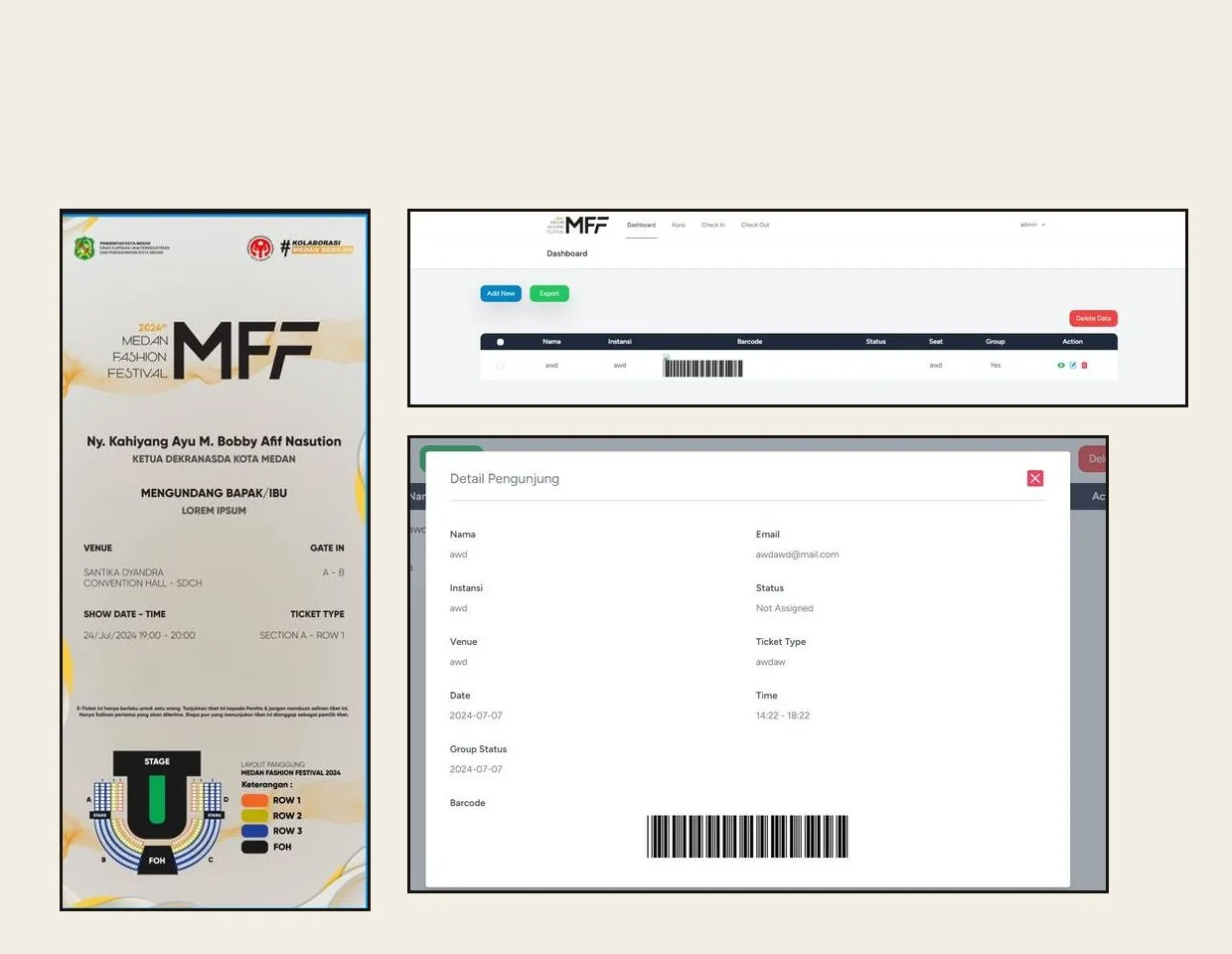
Medan Fashion Festival ticketing system: the e-ticket with a stage seating map, the admin dashboard and a visitor detail with a barcode

Client

Medan Fashion Festival

Industry

Events

Edition

2024

Services

System development, Event ticketing

Platform

Web

01 / The problem

Where it started

An invitation has to become a ticket.

Medan Fashion Festival 2024 invited guests, partners and visitors to a seated show. Each person needed a ticket tied to a gate, a section and a row, and the door team had to confirm it in seconds.

The organisers needed one system for tickets, guest registration and verification, with a barcode to scan at the entrance.

What success had to look like

Ticketing and entry in one system.

  • 01

    Tickets created and managed in one place.

  • 02

    Guests registered one by one or as a group.

  • 03

    An e-ticket with gate, section, row and barcode.

  • 04

    Tickets checked at the door, with check-in and check-out.

02 / The process

From the guest list to the gate.

Four steps, from how guests arrive to a working door.

Phase 01

Map the guest flow

We mapped registration, ticketing and entry for every kind of guest.

Phase 02

Design the tickets

An e-ticket in the festival's own look, with the stage map and seat details.

Phase 03

Build the system

Ticket management, registration, verification and barcode scanning.

Phase 04

Run the event

The system in use at the door during the festival.

03 / What we built

Four parts that run the door.

From the organiser's dashboard to the e-ticket in a guest's hand.

01 / Ticket management

Every ticket in one table.

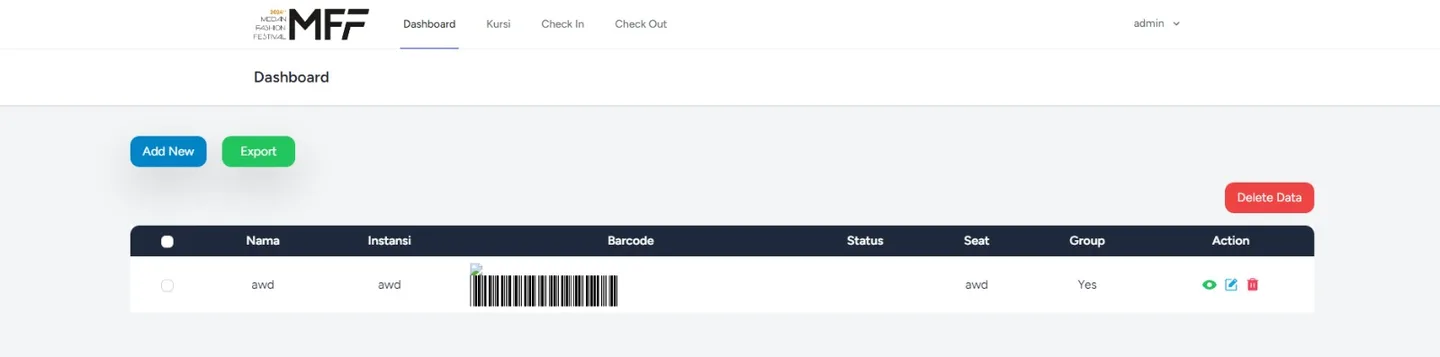
The dashboard lists each guest with their institution, barcode, status, seat and group. Organisers add a guest, export the list, delete data, or open, edit and remove a single entry. Tabs lead to seating, check-in and check-out.

  • Export the guest list
  • Seat, status and group per guest
Admin dashboard with a guest table showing name, institution, barcode, status, seat and group, and add, export and delete buttons

02 / Attendee registration

One guest or a whole group.

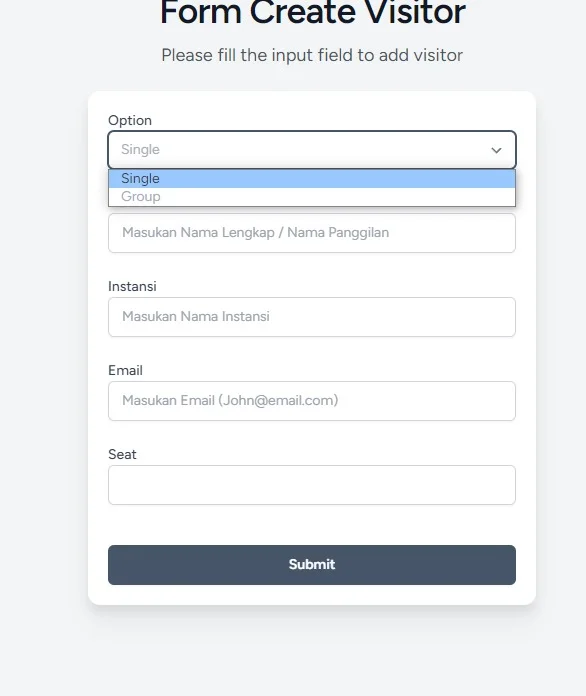
A short form registers a guest as a single entry or as a group. It takes the name, institution, email and seat, so the ticket is tied to a person from the start.

  • Single or group option
  • Name, institution, email and seat
Create visitor form with a single or group option and fields for name, institution, email and seat

03 / Ticket verification

The barcode tells the story.

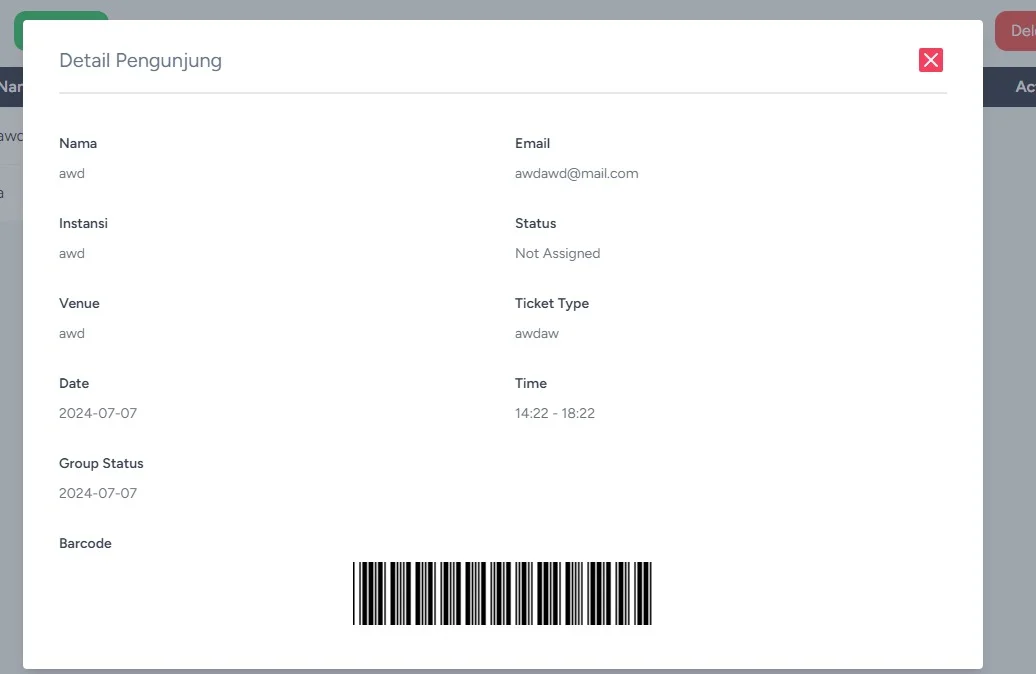
Each guest has a detail page with the status, venue, ticket type, date, time and group status, plus the barcode the gate team scans. A ticket that was already used shows up on the spot.

  • Status per ticket
  • Barcode scanned at the entrance
Visitor detail dialog with status, venue, ticket type, date, time, group status and a barcode

04 / E-ticket

A ticket that reads at a glance.

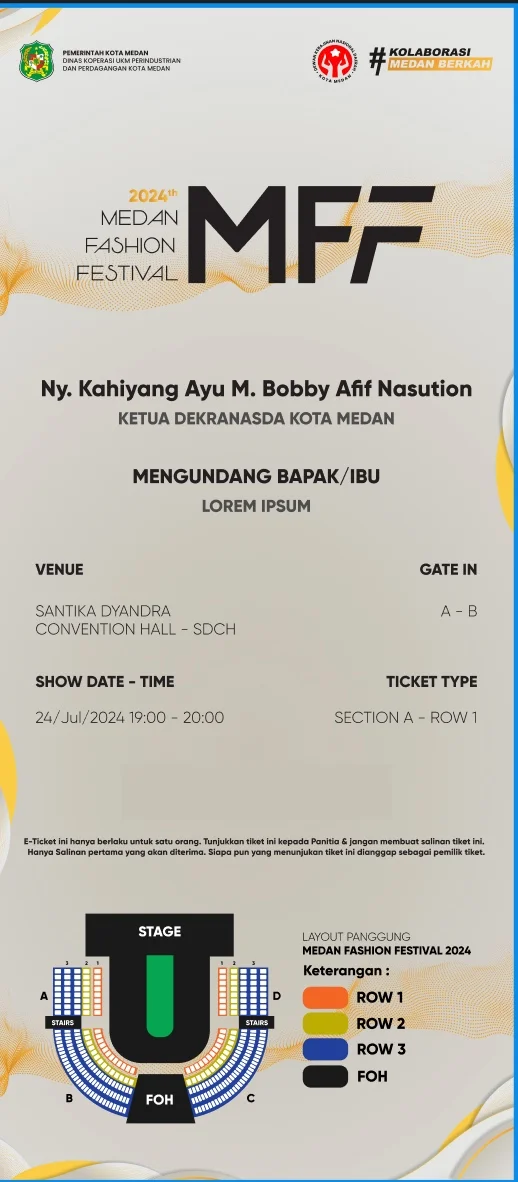
The e-ticket follows the festival's branding. It shows the venue, gate, date and time, ticket type with section and row, a one-person rule, and the stage layout with every row in its own colour.

  • Gate, section and row on the ticket
  • Stage map with the guest's row
Medan Fashion Festival 2024 e-ticket with venue, gate, date, section and row, and a stage seating map

Screens come from the application with test entries. The names, emails and values shown are samples, not real guests.

04 / Results

What changed at the door.

Tickets, registration, verification and records, in one system.

Tickets

A seat on every ticket.

NowEach e-ticket carries its gate, section and row, with a stage map.

Registration

Single and group in one form.

NowGuests are added one by one or as a group, with a seat assigned.

Entry

A barcode to scan.

NowThe gate team checks each ticket against its record, with check-in and check-out.

Records

The guest list, exportable.

NowThe dashboard keeps every guest and exports the list on request.

Next project / ERP system

Alpine Commodities

An ERP for a plantation commodities company: contracts, customs documents, warehouse stock and production in one system.

Open project
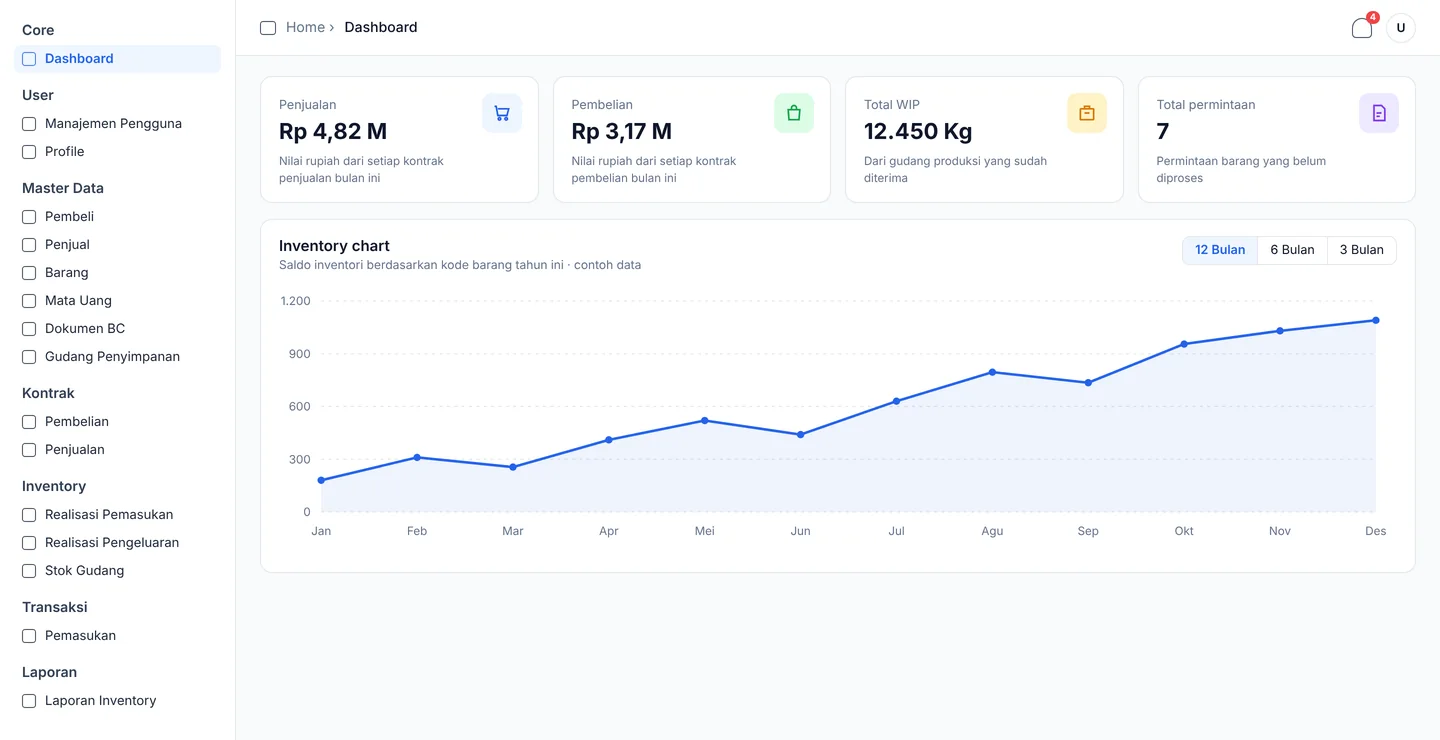
Alpine Commodities ERP dashboard with sales, purchases, work in progress and pending requests, above a yearly inventory chart

Your buildcould benext.

Start

Reply within one business day