Case study / Event ticketing / Web

Melophile Festival Vol.2

The second edition of Melofest moved to a stadium, with Dewa 19 headlining. We rebuilt the ticketing for five seating categories, a venue map, multi-category checkout and QR e-tickets exchanged for wristbands.

5 ticket categoriesVenue mapQR e-ticket
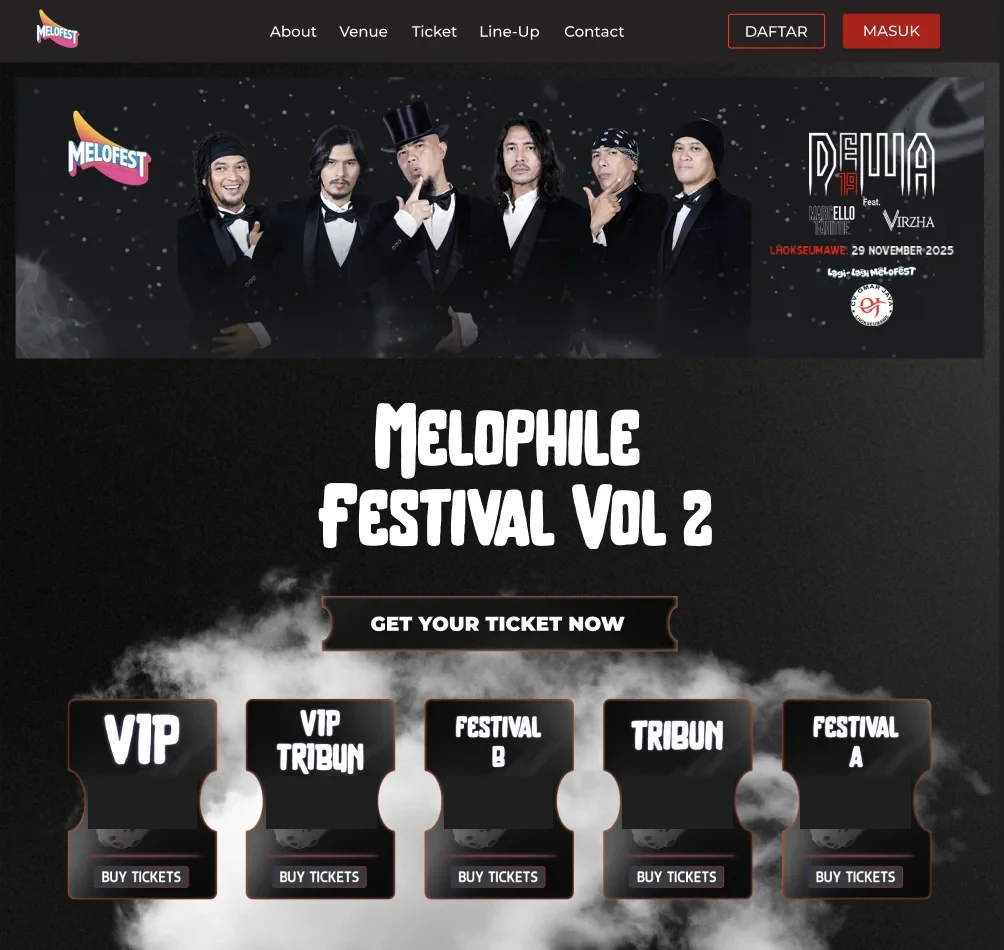
Melophile Festival Vol.2 homepage with the Dewa 19 banner and five ticket categories: VIP, VIP Tribun, Festival A, Festival B and Tribun

Client

CV Omar Jaya, organiser

Industry

Events · music festival

Event

29 November 2025 · Lhokseumawe

Services

Application development, Event ticketing

Stack

Next.js, Express, MongoDB

01 / The problem

Where it started

A bigger show needs a seating plan.

Vol.1 sold one presale category for a field show. Vol.2 took Melofest to Stadion Perta Arun Gas on Saturday 29 November 2025, with Dewa 19 and guests, and split the venue into VIP, VIP Tribun, Festival A, Festival B and Tribun.

The festival also added social activities, a blood drive and support for people with disabilities, and published clear ticket terms: one purchase channel, no refunds, ID that matches the e-ticket, and a QR code that scans only once.

What success had to look like

Five categories, one checkout.

  • 01

    A venue map so buyers know where each category stands.

  • 02

    Several categories and quantities in one order.

  • 03

    Ticket terms shown before purchase and agreed at checkout.

  • 04

    A QR e-ticket exchanged once for a wristband.

02 / The process

From Vol.1 to a stadium.

Four steps, from keeping what worked to running the exchange.

Phase 01

Keep what worked

Checkout, proof of transfer and admin verification carried over from Vol.1.

Phase 02

Add the categories

Five ticket types with quantity pickers and a venue map.

Phase 03

Restyle for Vol.2

A dark theme that matches the Dewa 19 campaign.

Phase 04

Run the exchange

QR scanning and wristband handover before show day.

03 / What we built

What changed for Vol.2.

From the ticket catalogue to the wristband exchange.

01 / Ticket catalogue

Five ways into the show.

The homepage leads with the campaign banner, then every category with a buy button, so fans compare options in one look.

  • VIP, VIP Tribun, Festival A, Festival B, Tribun
  • Account sign-up and login for buyers
Ticket catalogue with five categories

02 / Event detail & venue map

See the stage before you buy.

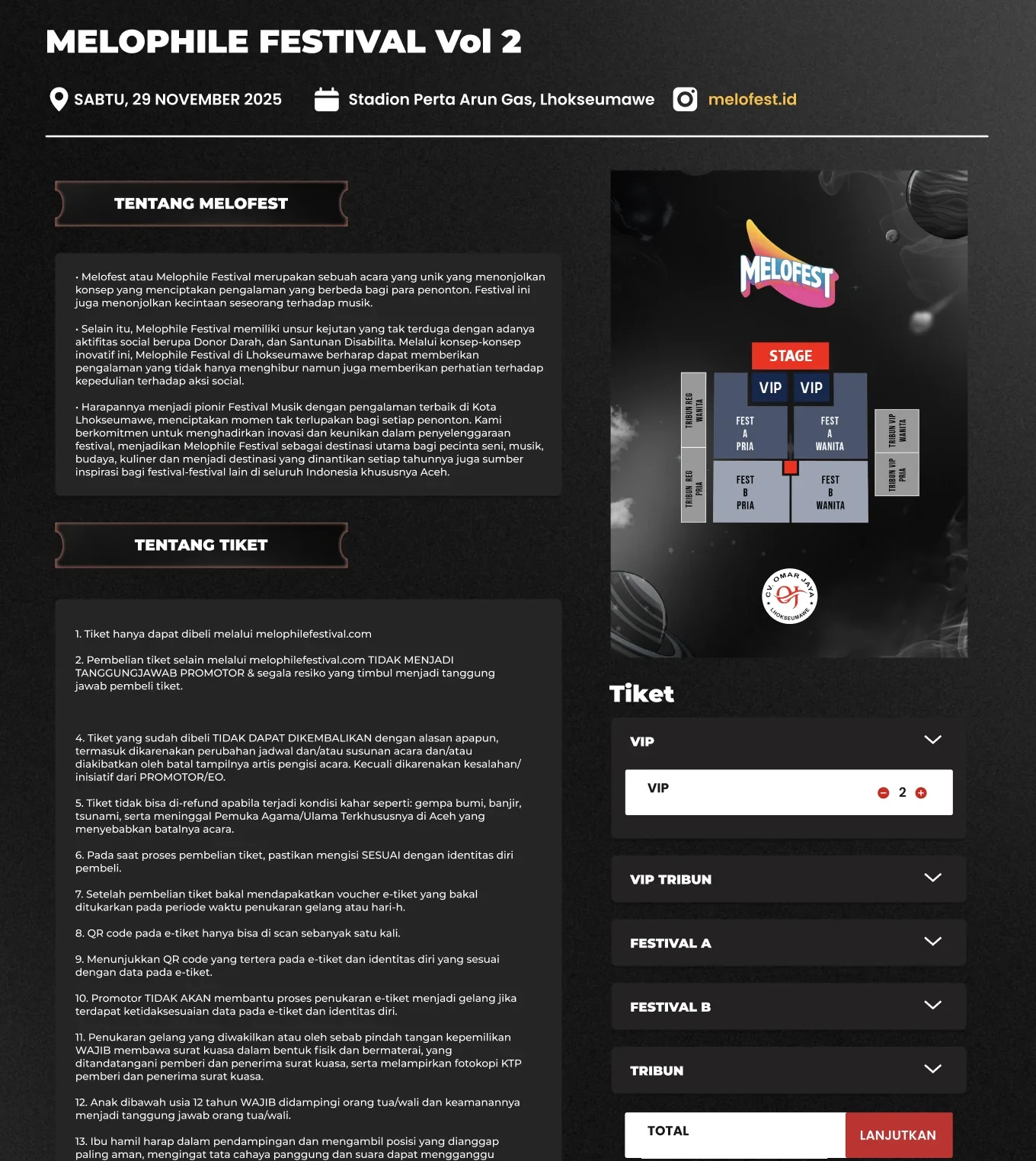
The event page has the date, venue and Instagram link, the story of Melofest, the full ticket terms, and a venue map beside the ticket picker. Fans add any mix of categories in one order.

  • Venue map with every section around the stage
  • Quantity per category in one order
Event detail with about section, ticket terms, venue map and ticket category selector

03 / Order & payment

Terms agreed, transfer attached.

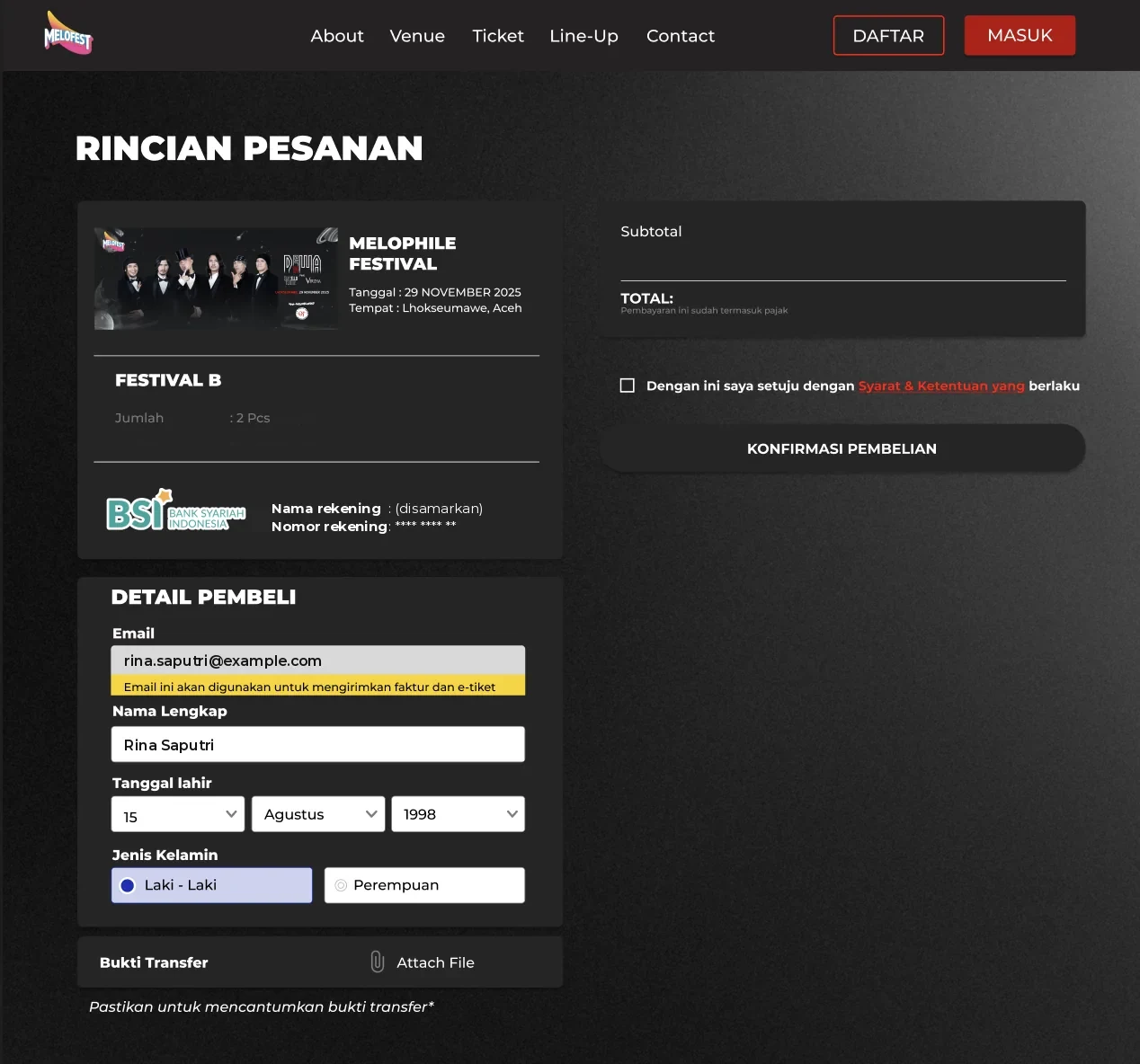
The order page lists category and quantity, shows the bank account to transfer to, collects buyer details and the proof of payment, and asks the buyer to accept the terms before confirming.

  • Terms accepted before confirming
  • Invoice and e-ticket sent to the buyer's email
Order summary with ticket category, bank transfer details, buyer form and proof of transfer

04 / Order management

Every section, counted.

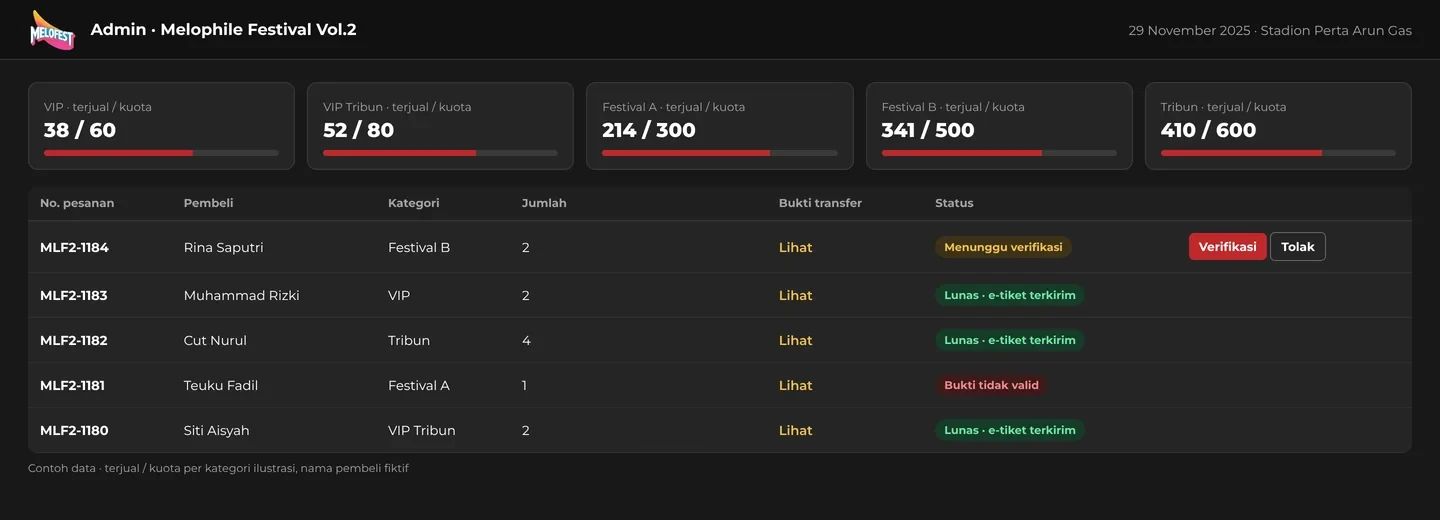
The organiser sees tickets sold against capacity for each category, opens each proof of transfer, and verifies or rejects the order. Verified orders receive their e-tickets.

  • Sold versus quota per category
  • One queue for payment checks
Admin dashboard with sold versus quota for five categories and an order verification queue

05 / E-ticket & wristband exchange

One QR, one wristband.

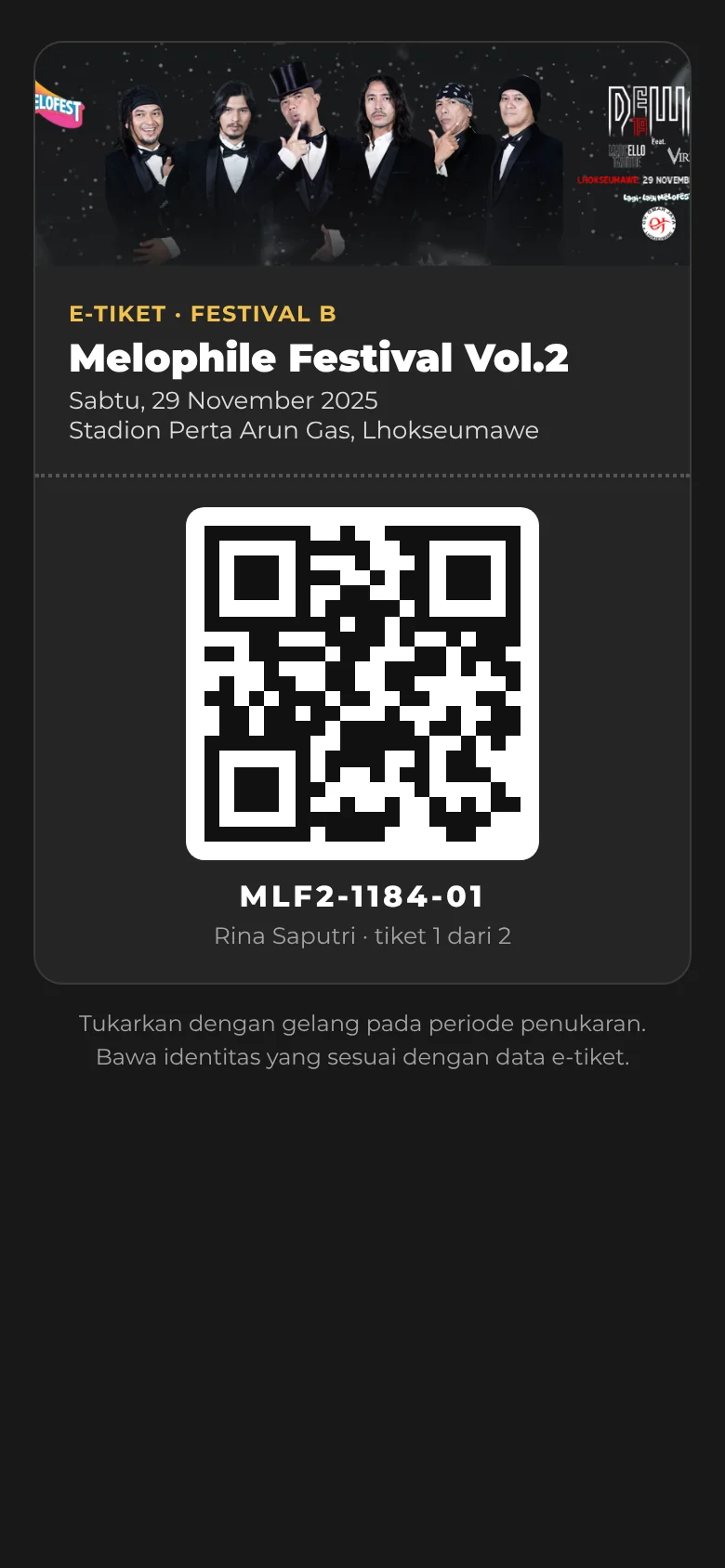
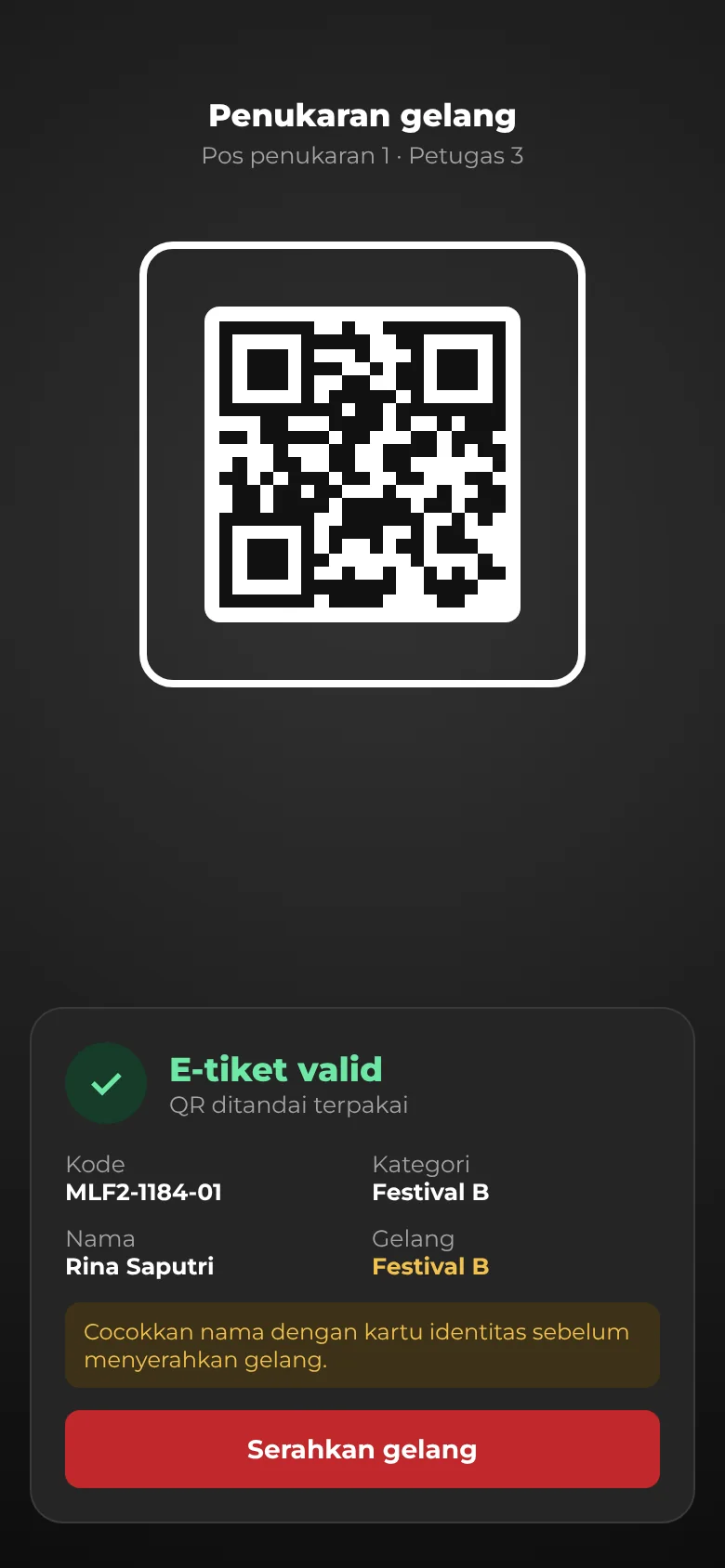
Each ticket carries a QR code. At the exchange desk staff scan it, check the name against the buyer's ID, and hand over the wristband for that category. The QR is marked used on the first scan.

Vol.2 e-ticket on a phone with a QR code for Festival BWristband exchange scanner showing a valid e-ticket and an ID check reminder

Catalogue, event and order screens are from the live design; buyer data and bank account details are masked. Admin, e-ticket and exchange screens are recreated with sample data.

04 / Results

Same platform, a bigger stage.

More categories and a new exchange flow, on the platform built for Vol.1.

5

Ticket categories

2

Editions on one platform

1×

Scan per QR code

1

Purchase channel
Choice

Buyers see where they stand.

NowThe venue map and category list sit beside the ticket picker, so each category has a place on the floor.

Control

Capacity per section.

NowThe organiser tracks sold against quota for each category while verifying payments.

Entry

Wristbands to the right people.

NowA QR that scans once and a name check against ID keep copied tickets out.

Reuse

Built once, run twice.

NowCheckout and verification from Vol.1 carried straight into Vol.2.

Next project / Financial analysis application

ALMA VALID Bank Umum

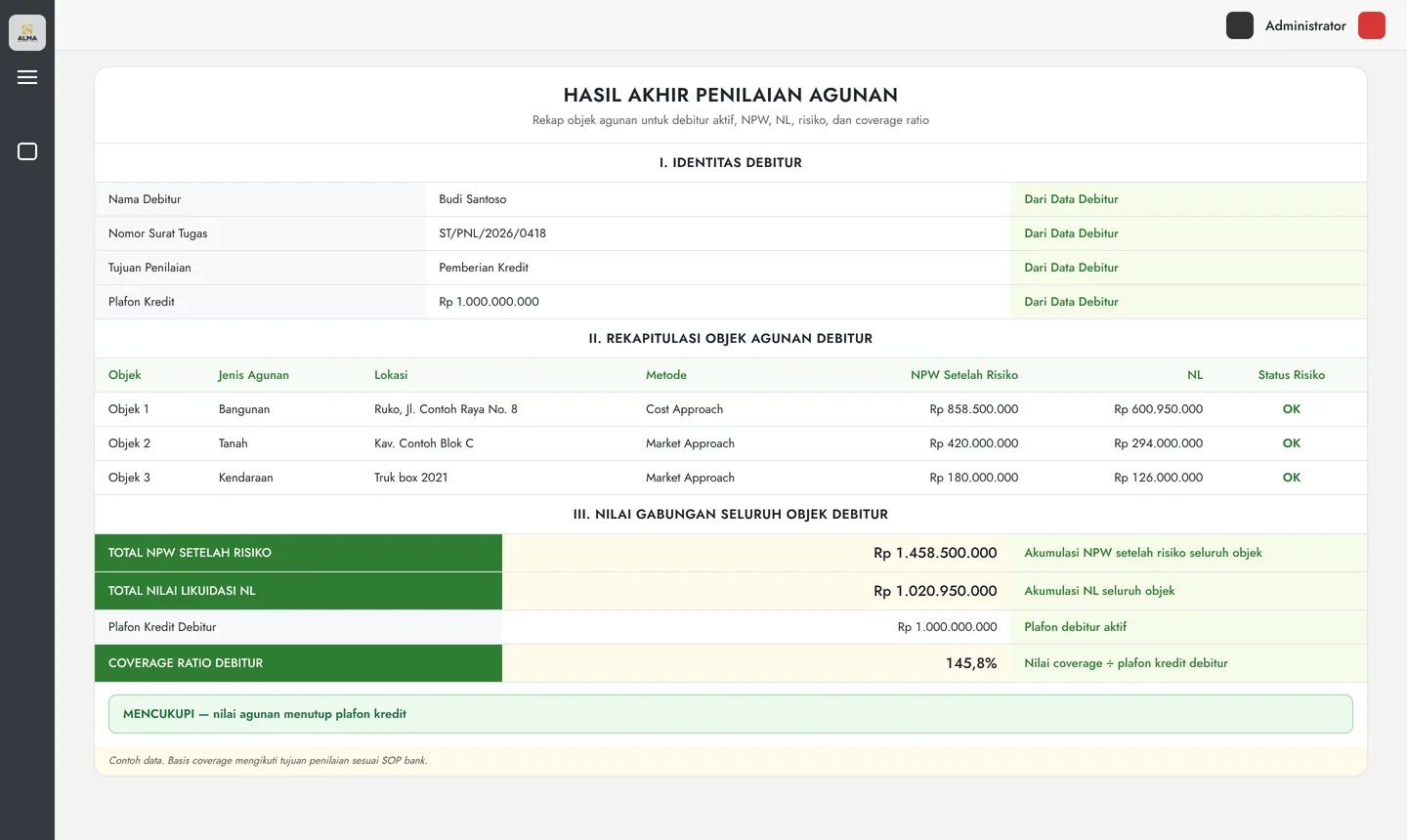
A collateral valuation app for commercial banks, from debtor data to a coverage ratio against the credit limit.

Open project
ALMA VALID final collateral assessment: debtor identity, list of collateral objects with NPW and liquidation value, totals and a coverage ratio verdict

Your buildcould benext.

Start

Reply within one business day